Status Pages
A status page that
updates itself.
Most status pages are a second tool you have to wire up and remember to update. PingPing's is part of your monitoring. When a 30-second check spots an outage, your status page already knows.
Included on every plan from €6/mo. 14-day free trial, no credit card.
TL;DR
A status page gives your users one URL to check during an incident, instead of emailing you. PingPing's status page is updated automatically from your 30-second monitoring, runs on your own domain in your language, and is included on every plan. No separate tool, no manual posting.
When your site goes down, everyone asks the same thing.
"Is it down for everyone, or just me?"
Without a status page, the answer arrives in your inbox. Support emails pile up. A few people tweet. You're firefighting the outage and fielding "are you down?" messages at the same time.
A status page answers that question for them, so they don't have to ask you.
Companies regularly report fewer support tickets during incidents once they have one. And a calm, honest status page often does more for trust than the outage did to hurt it.
A status page, without the second tool
The point of a status page is trust. The work of running one shouldn't undo it.
-
Updates itself
Your status page reflects your 30-second checks. When a real outage hits, it updates and logs the incident on its own, no manual posting under pressure.
-
Your domain, your language
Serve it on a custom domain so it looks like part of your product, and show it in your audience’s language. Multi-language is built in.
-
Comes with your monitoring
It's not a separate subscription you configure and maintain. Turn it on alongside the monitoring you already run, included from €6/mo.
Enterprise status pages are built for incident teams.
This one is built for you.
You don't need component matrices, on-call rotations, and a comms workflow to tell people your site is up. You need a clean page that's honest and current.
PingPing keeps it simple on purpose. One status page for your site, always reflecting what your monitoring actually sees.
How it works
Monitor your site
Add your URL. PingPing checks it every 30 seconds from multiple regions.
Turn on your status page
Pick your domain and language. It pulls live status from your monitoring.
Share the URL
Link it from your app and footer. It stays current on its own.
What you get
-
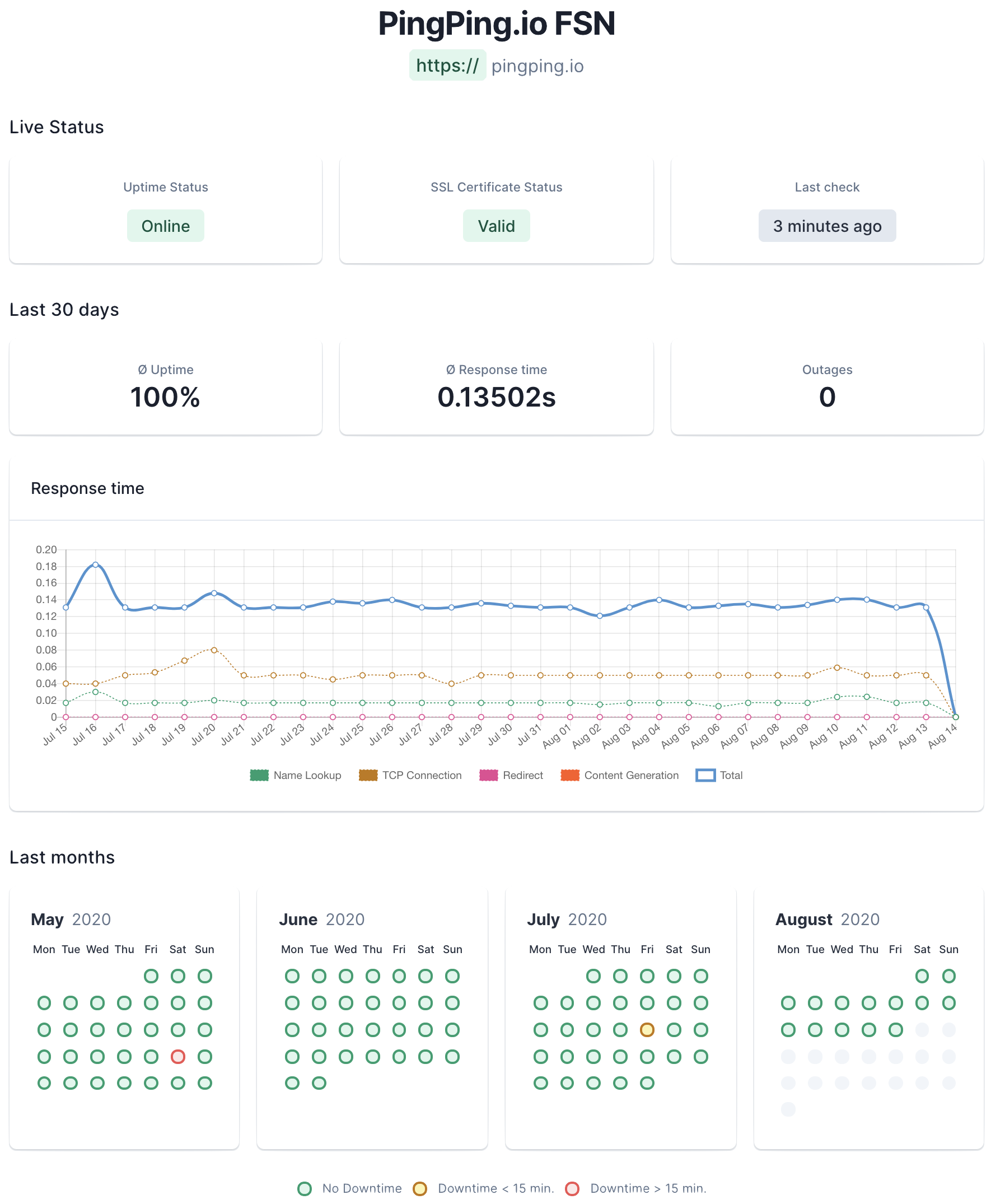
Live status, updated automatically from your 30-second checks
-
SSL certificate status and average response time, not just a green dot
-
Outage count and last-check time, so visitors see the real picture
-
Custom domain, public or private, in 10 languages
All of it included, alongside uptime, response-time and SSL monitoring.
Trusted by builders
Reliability people can verify
Teams running revenue-critical sites use PingPing to monitor and to show their users they're on it.
-
We partnered with PingPing to provide our customers with a simplified uptime monitoring solution. Their team is fantastic, responsive and cares about our business. Thanks chaps!
-
After using much more complicated tools, PingPing was a breath of fresh air in the monitoring space. The app is wonderfully simple, and beautifully designed. Highly recommend!
-
PingPing is so simple, yet so useful. You can be set up in about two minutes and the tracking starts immediately. There is no better way to be instantly notified if your site has problems.

How it compares
Status pages range from simple to enterprise. Here's where PingPing sits.
| PingPing | Statuspage / status.io | |
|---|---|---|
| Setup | On alongside your monitoring | A separate product to configure |
| Updates | Automatic from 30-second checks | Mostly manual or via integrations |
| Custom domain & languages | Included | Higher tiers |
| Comes with monitoring | Yes, one tool | No, status page only |
| Pricing | Included from €6/mo | Separate subscription |
| Best for | Solo founders & small teams | Large incident-response teams |
If you want enterprise incident comms, the big platforms earn their price. If you want a status page that just stays current, this is simpler.
Give your users a status page worth checking
Frequently asked questions
Go deeper
Setting up a status page →
What a good status page shows, and how to launch one
Status page examples →
How well-run companies handle incident transparency
What to do when your site is down →
The response checklist a status page fits into
What is uptime monitoring? →
The monitoring that feeds your status page